Try Beat Watcher on Apple Watch
Free to download. Trusted contacts can accept and receive shared alerts without purchasing.

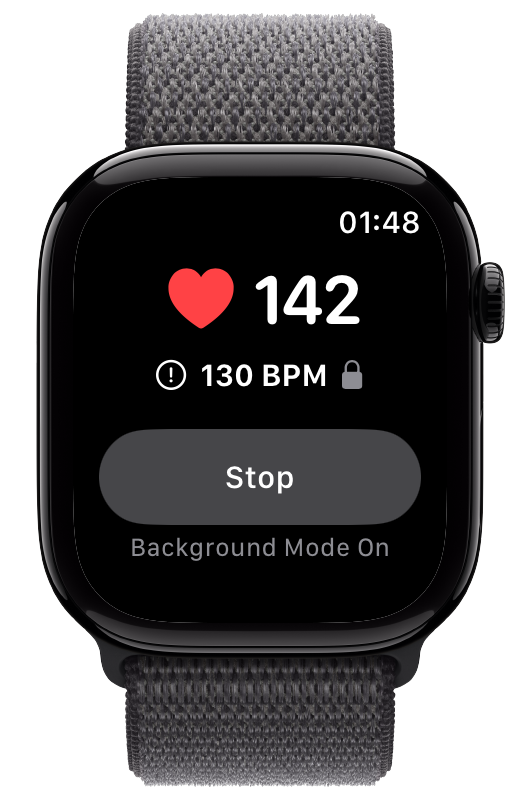
Living independently with POTS can make a sudden heart rate change feel isolating. A personal threshold alert can help you notice a crossing, while Alert Sharing can keep someone you trust aware. Neither replaces an emergency plan.
POTS is defined by excessive orthostatic tachycardia together with symptoms that occur while upright. The 2015 Heart Rhythm Society consensus uses a sustained heart rate increase of at least 30 BPM within 10 minutes of standing for adults, in the absence of orthostatic hypotension.[1] That diagnostic change is not the same thing as an everyday alert threshold, but it explains why timely heart rate awareness can matter to someone managing activity at home.
Long-term survey data describe substantial effects on energy, physical function, employment, and daily life for many people with POTS.[2] A useful setup should therefore do three different jobs without confusing them: alert you, keep a trusted person informed when you choose, and preserve a separate route for genuine emergencies.
Set a high and, if useful for you, a low absolute BPM threshold. Beat Watcher can alert you on Apple Watch with haptic and audio feedback when your heart rate crosses a threshold. Optional Phone Alerts can also notify your own iPhone. Choose thresholds with a healthcare professional who understands your symptoms and daily routine.
Alert Sharing lets you invite a trusted contact to receive selected high and low threshold notifications in Beat Watcher on iPhone. Both people accept the connection, each controls High and Low preferences, and either can disconnect. Your trusted contact can receive alerts and review seven days of shared alert history without purchasing.
Shared heart rate alerts are not emergency dispatch. Apple Watch Emergency SOS and Fall Detection cover different situations and can contact emergency services when their requirements are met.[3] A dedicated medical alert service may be more appropriate if you need guaranteed escalation, professional monitoring, or support beyond a trusted person’s availability.
Keep the owner iPhone app installed and available while Alert Sharing is active. Delivery depends on the watch, phone, network, notification permissions, and Apple push services. Delayed alerts are labeled delayed, and delivery is never guaranteed. For a broader comparison, see apps that can notify family about heart rate.
A notification is more useful when both people know what to do with it. Talk through the plan while things are calm:
Invite someone who understands the feature’s awareness-only role and is comfortable receiving health-related notifications.
Decide whether they should simply check in, wait for you to respond, or follow a plan you have agreed on separately.
Confirm that Watch alerts, iPhone notifications, and the trusted contact’s notification settings are enabled before relying on the workflow for awareness.
Know how to use Emergency SOS and review whether Fall Detection or a dedicated service belongs in your independent-living plan.
Beat Watcher is a general wellness app for heart rate awareness. It does not diagnose POTS, decide whether a heart rate is dangerous, call emergency services, detect every fall or fainting episode, continuously stream your heart rate to another person, or guarantee that a notification will arrive. Apple’s own heart rate notifications are also informational and use periodic background measurements rather than continuous third-party threshold monitoring.[4]
Seek medical advice for symptoms, diagnosis, treatment, and personal thresholds. Use local emergency services for an emergency. If you need professional monitoring or automatic escalation, choose a service designed for that responsibility.
Free to download. Trusted contacts can accept and receive shared alerts without purchasing.
Apple Watch does not natively send a heart rate threshold notification to another person. Beat Watcher Alert Sharing lets an eligible wearer invite a trusted contact to receive selected high and low threshold notifications in the Beat Watcher iPhone app. Both people consent, and either can disconnect.
No. A trusted contact can accept an invite, receive shared alerts, and review seven days of received alert history without purchasing. Full access is required only for someone who wants to monitor and share their own Apple Watch alerts.
No. Beat Watcher Alert Sharing sends awareness notifications to trusted contacts. It does not call emergency services, dispatch help, guarantee delivery, or replace Apple Emergency SOS, Fall Detection, or a dedicated medical alert service.
No. Beat Watcher is a general wellness app for heart rate awareness. It does not diagnose, treat, or medically monitor POTS or any other condition. Discuss symptoms, thresholds, and medical decisions with a healthcare professional.
There is no universal threshold for daily alerts. POTS diagnostic criteria describe a change measured during standing, while Beat Watcher uses an absolute BPM threshold. Choose a personal alert value with guidance from your healthcare professional rather than treating the diagnostic criterion as an automatic app setting.
Related: POTS Heart Rate Monitor · Can Apple Watch Alert Someone Else? · Apps That Notify Family About Heart Rate · iPhone Heart Rate Alerts · Best Heart Rate Alert Apps