Try Beat Watcher on your Apple Watch
Free to download. Requires Apple Watch Series 4 or newer (watchOS 9+).

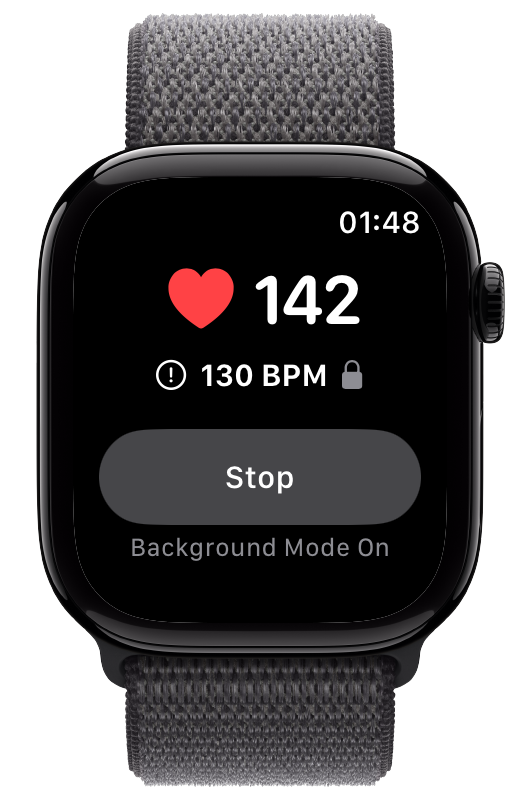
Whether you live alone and want your sister in the loop when your heart rate spikes, or you want a heads-up about a parent’s heart rate, the options in 2026 all make different trade-offs on speed, consent, delivery, and cost. This is an honest comparison, including Beat Watcher Alert Sharing as it works today.
Options range from prompt SMS or push delivery down to background data syncing that can lag by hours. If the point is knowing something is happening now, delayed sharing will disappoint.
Some options use fixed preset values checked every 10 minutes or so; others let the wearer set the exact BPM that matters to them and alert on the crossing in real time.
Sharing heart data is intimate. The best designs make both people opt in and let either side stop at any time. SMS-based approaches typically skip recipient consent entirely.
Models range from free, to monthly subscriptions, to per-alert credits. Credit systems have a quiet failure mode: when the credits run out, the alerts stop.
Share heart health notifications and data from the Health app with someone you invite. Strong consent on both sides and no cost, but the shared copy arrives through iCloud background syncing, well after the fact, and the underlying watch notifications use fixed presets checked roughly every 10 minutes.[1][2] Best when staying informed matters more than immediacy. See our full explainer on Apple Watch’s limits here.
An Apple Watch app that checks your heart rate against limits you set and texts your heart rate, time, and a location link to up to five contacts you list. Recipients need no app or iPhone, which is its real strength. Trade-offs: alerts are positioned around emergencies, there is no recipient consent step, delivery depends on your paired iPhone being reachable, and each alert consumes a paid credit (packs are sold in the range of $3.99 for 20), so alerts silently stop when credits run out.
A premium Cardiogram subscription lets a family member view your heart rate data remotely using a shared code. It is a data-review surface rather than an alerting one: useful for checking in on trends, not for being notified when a threshold is crossed.
Full caregiving services that turn the watch into a monitored device: heart rate alerts, GPS geofences, falls, and more delivered to a caregiver app, typically around $25 per month. Built for looking after a parent or dependent with real care needs. If you need emergency response, that is a different category again: dedicated medical alert services, or Apple’s own Emergency SOS and Fall Detection.[3]
Beat Watcher lets the wearer set high and low BPM thresholds with the Digital Crown, get haptic and audio alerts with continuous Background Mode, and optionally receive Phone Alerts and Critical Alerts on their own iPhone. With Alert Sharing, an eligible wearer can invite a trusted contact, who accepts in the same Beat Watcher iPhone app and can receive shared high and low threshold notifications, manage their preferences, and review shared alert history without purchasing a subscription. Both people consent, either can disconnect, and there are no per-alert fees. The paired owner iPhone must remain installed and available.
For Beat Watcher’s wearer-side comparison against TachyMon, HeartWatch, Cardiac Alarm, and RscMe, see best heart rate alert apps for Apple Watch.
If you need the other person notified with no app on their side, RscMe’s SMS approach is the pragmatic pick, with its credit costs and consent model as the trade-offs. If free, consented, and eventual is enough, Apple Health Sharing is built in. If they just want to look at your data, Cardiogram’s Family Mode covers it. If you are caring for a parent full-time, a caregiver platform or a dedicated medical alert service is the right category, and nothing on this page replaces emergency response.
Beat Watcher now covers the combination many people asking this question describe: the wearer’s own custom thresholds, prompt delivery to a trusted person’s iPhone, consent on both sides, shared alert history, and no per-alert fees. It remains an awareness feature, not emergency response or medical monitoring.
Free to download. Requires Apple Watch Series 4 or newer (watchOS 9+).
It depends on what you need most. Beat Watcher Alert Sharing combines the wearer’s custom high and low thresholds, prompt iPhone notifications, recipient consent, shared alert history, and no per-alert fees. Trusted contacts can accept and receive alerts without purchasing a subscription. Apple Health Sharing passes a delayed copy of Apple’s fixed heart health notifications. RscMe sends SMS messages with paid per-alert credits. Cardiogram Family Mode focuses on remote data viewing.
Yes, with setup on their watch and consent on their side. The free route is Apple Health Sharing from your parent's iPhone, which shares their heart health notifications with you, though delivery is delayed. Dedicated caregiver platforms like BoundaryCare send heart rate, fall, and location alerts to a caregiver app for a monthly subscription. If your parent has significant care needs or you need emergency response, a dedicated medical alert service is the right category; heart rate awareness apps are not emergency response systems.
It varies. RscMe delivers by SMS, so the recipient needs nothing installed. Apple Health Sharing requires the recipient to have an iPhone with the Health app and accept the invitation. Cardiogram Family Mode requires the viewer to use Cardiogram. Beat Watcher Alert Sharing uses the Beat Watcher iPhone app on both sides, which provides an invite-and-accept consent step, notification delivery, preferences, and shared alert history.
Two delays stack. First, Apple Watch's own high and low heart rate notifications are checked periodically and fire only after your heart rate stays past the fixed setting for about 10 minutes while you appear inactive. Second, Health Sharing passes the notification copy through iCloud background syncing, which is not designed for immediate delivery, so the shared copy can arrive well after the original. The result is useful for staying informed, but it is not a real-time alert for the other person.
Yes. Alert Sharing is available in Beat Watcher 2026.23. An eligible wearer invites a trusted contact, the trusted contact accepts in the Beat Watcher iPhone app, and they can receive notifications when the wearer’s heart rate crosses a shared high or low threshold. Trusted contacts can accept and receive alerts without purchasing a subscription. The paired owner iPhone must remain installed and available. Alert Sharing is for awareness between trusted people, not emergency response.
Related: Can Apple Watch Alert Someone Else? · Living Alone With POTS · Best Heart Rate Alert Apps · POTS Heart Rate Monitor · Sleep Heart Rate Monitor · Low Heart Rate Alerts