Beat Watcher lets you set both a high and low heart rate threshold on your Apple Watch. When your BPM crosses either limit, you get instant haptic vibration and audio feedback. Here’s how to set them up.
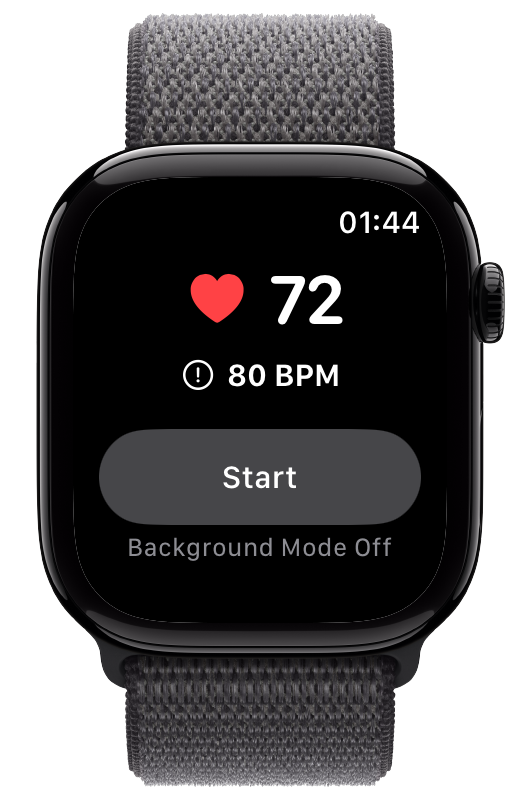
The high threshold alerts you when your heart rate goes above a BPM you choose. This is the main threshold you see on the Beat Watcher home screen.
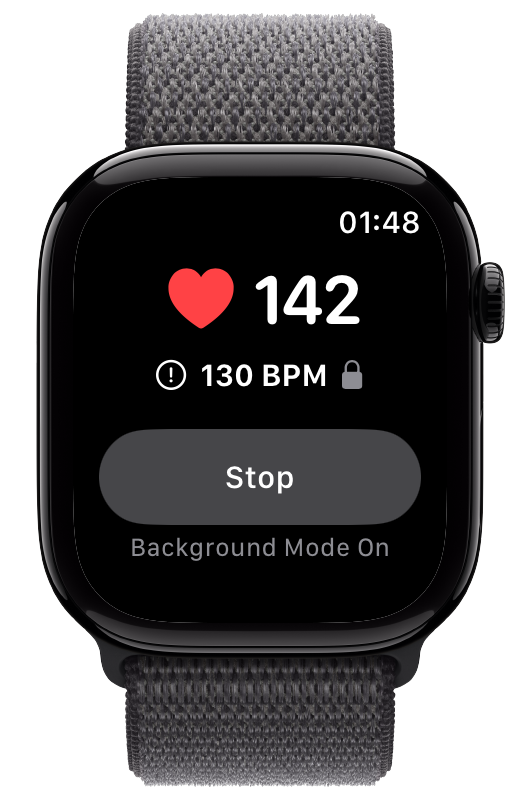
Your current heart rate and threshold are displayed on the main screen.
Turn the Digital Crown to adjust the threshold to your desired level. Range: 30–250 BPM.
Your threshold is saved automatically. Beat Watcher will provide haptic and audio feedback when your heart rate goes above it.
Low Alerts notify you when your heart rate drops below a value you set. Useful for monitoring bradycardia or staying aware of significant heart rate drops during rest or sleep.
Tap the top part of the screen that shows your heart rate and threshold.
Tap Settings, then tap Low Alerts. Turn on the Low Alerts toggle.
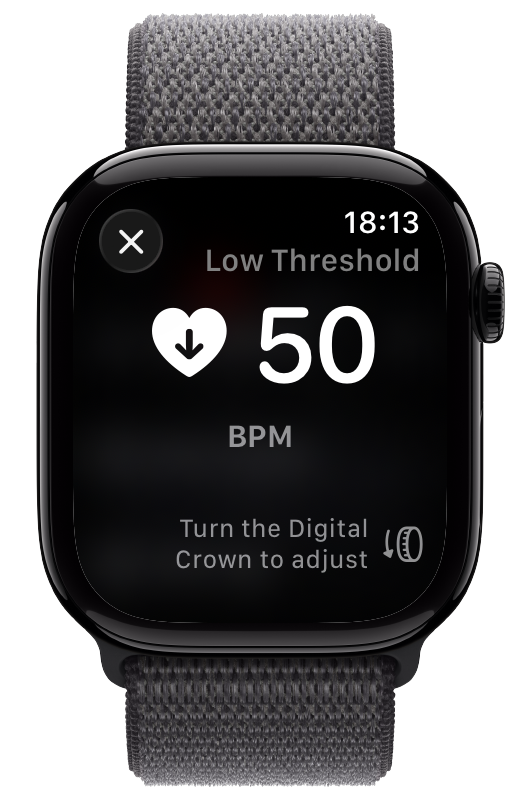
Use the Digital Crown to adjust between 30–110 BPM. You’ll receive haptic and audio feedback when your heart rate drops below this value.
The best thresholds depend on what you are using Beat Watcher for:
For POTS or ME/CFS pacing, consult your doctor. Common starting points are resting HR + 30 BPM for POTS, or (220 – age) × 0.6 for ME/CFS.
For stress monitoring, set your high threshold 15–25 BPM above your resting heart rate.
Set it to your target zone ceiling. For sauna sessions, 140 BPM is a common exit threshold.
Set a high threshold of 120 BPM and a low threshold of 50 BPM to be alerted when your heart rate goes outside that range in either direction.
Apple Watch has built-in high and low heart rate notifications, but they check periodically and are delayed. Beat Watcher provides:
The high threshold can be set from 30 to 250 BPM using the Digital Crown.
Low Alerts can be set from 30 to 110 BPM using the Digital Crown.
Yes. The high threshold and Low Alerts work simultaneously. For example, you might set your high threshold to 120 BPM and your low threshold to 50 BPM to be alerted when your heart rate goes outside that range.
Beat Watcher will provide haptic and audio feedback when your heart rate goes above or below the set threshold. If Persistent Alerts are enabled, the feedback repeats every few seconds as long as your heart rate remains past the threshold.
Apple Watch’s built-in heart rate notifications check periodically and are delayed. Beat Watcher provides instant alerts with fully customizable thresholds and works continuously in Background Mode. You can set the exact BPM level that matters to you.
Yes. Your threshold is saved automatically and will be the same when you open Beat Watcher next time.