Your Apple Watch quietly records heart rate variability (HRV), a signal research associates with stress and recovery. A wave of apps now surface it. They fall into two camps, and knowing which camp you want makes the choice easy.
Disclosure: this guide is published by Ganotis Holdings, the maker of Beat Watcher and Simple Stress Watch. The other apps mentioned are described from their public App Store listings.
Some stress apps interpret your data for you. They take your HRV and resting heart rate, run a model, and tell you a stress level, often with reminders and coaching. Others just show you the number and let you read it yourself. Neither is wrong. The interpret-for-you apps are more capable; the show-the-number apps are simpler, quieter, and easier to trust because there is no black box. Decide which you actually want before you pick an app.
It lives on your watch face as a complication, so you see it without opening anything. No daily report to read.
It reads the HRV your Apple Watch already records into Apple Health. No chest strap, no second device, no new habit.
The simplest apps skip sign-up and do not gate the core view behind a subscription. You install it and it works.
It does not flood you with notifications, and the best apps keep your data on your device with no uploads. (Simple Stress Watch does: no account, no uploads, no analytics.)
The best-known app in this camp. It reads your HRV and resting heart rate from Apple Health, estimates your stress level, and can remind you when stress appears high. It adds habit tracking, sleep, and a Bio Age feature, and Apple has featured it widely. It is free with a Pro upgrade. Pick it if you want an app to interpret your data and coach you, and you do not mind a fuller app with more to manage.
Several other lightweight apps also put a single stress or HRV value on a complication. They vary in whether they require an account, show ads, or gate features behind a subscription, so check each App Store listing before committing.
About as minimal as it gets. It shows your HRV as a single number inside a gauge colored relative to your own baseline: green above it, white around it, yellow below, red well below. Complications cover every accessory family, and an iPhone widget shows today’s HRV. There is no stress score, no reminders, no account, no analytics, and no subscription. It reads HRV locally from Apple Health and keeps everything on your device. Pick it if you just want to see the number and trust yourself to read it.

Simple Stress Watch is a general wellness app. It does not diagnose, treat, cure, or prevent any condition, and it does not make a clinical determination about your stress.
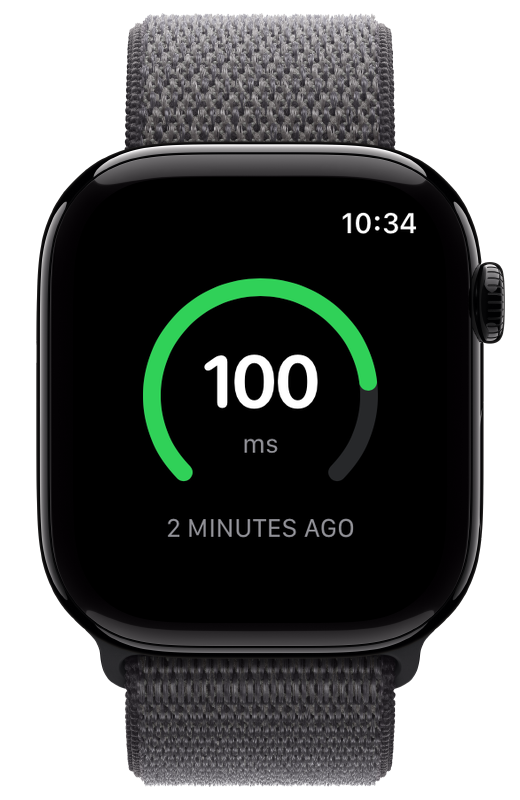
If simple means one glance and nothing else, a minimal HRV meter like Simple Stress Watch is about as pared-down as it gets: it shows your HRV as a single number against your own baseline on the watch face, with no account, no reminders, and no subscription. Fuller apps such as StressWatch interpret your data and add features, which is more capable but less minimal.
Yes. Many are free to download. Some, like StressWatch, are free with a paid Pro upgrade. Others, like Simple Stress Watch, are fully free with no subscription or Pro tier. Always check the App Store listing for the current pricing.
No. These apps read the HRV and heart rate data your Apple Watch already records into Apple Health. No chest strap or separate device is required.
No. HRV (heart rate variability) is the raw signal your watch records. A stress score is one app’s interpretation of HRV and other inputs. Some apps show you the interpretation; others, like Simple Stress Watch, show you the HRV number and let you interpret it yourself.