Try Beat Watcher on your Apple Watch
Requires Apple Watch Series 3 or newer (watchOS 8+).

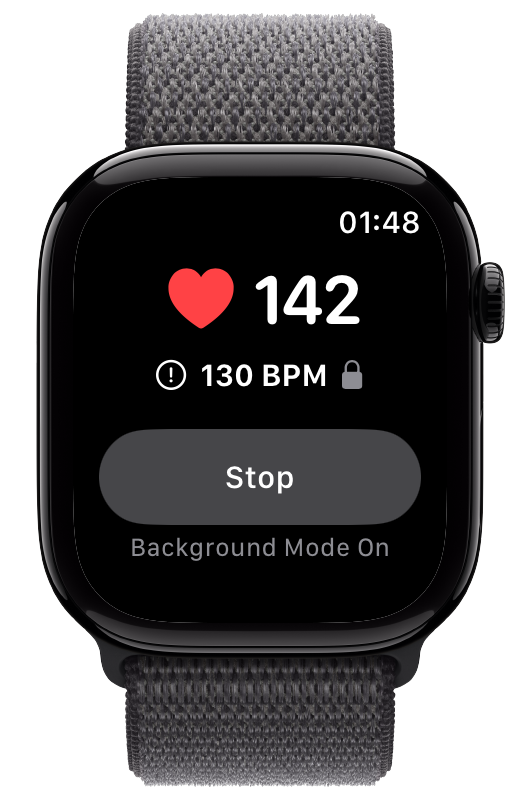
Beat Watcher can send heart rate threshold alerts to your iPhone, so you get notified even when you are not looking at your Apple Watch. Critical Alerts mode can cut through Silent and Do Not Disturb for situations where you cannot miss a notification.
Make sure the Beat Watcher companion app is installed on your iPhone. It is included when you download Beat Watcher from the App Store.
In the iPhone companion app, tap “Phone Alerts” in the How To Use section. Toggle Phone Alerts on.
Select whether to receive alerts for high threshold crossings, low threshold crossings, or both.
For situations where missing an alert could be serious (nighttime monitoring, medical conditions like POTS), you can enable Critical Alerts. When enabled, alerts will play a sound even when your phone is on silent or Do Not Disturb.
In the Phone Alert settings, toggle “Bypass Silent & Do Not Disturb.” iOS will ask for permission to allow Critical Alerts from Beat Watcher. You can also adjust the alert volume (10–100%) independently of your phone’s volume setting.
When off, alerts follow your phone’s normal notification settings.
Phone alerts fire once when a threshold is first crossed. For continuous alerting, enable Persistent Alerts on your Apple Watch.
Phone Alerts work whether Background Mode is on or off. They fire during background refresh checks and during active monitoring.
Toggle high and low threshold phone alerts independently. You might want phone alerts only for dangerous high heart rates, while using the watch for low threshold feedback.
Each phone alert notification includes the heart rate that triggered it and your threshold setting, so you can see exactly how far above or below your limit you went.
Requires Apple Watch Series 3 or newer (watchOS 8+).
Critical Alerts are a special iOS notification type that plays a sound even when your iPhone is on Silent or Do Not Disturb mode. This is useful for nighttime heart rate monitoring or situations where you cannot miss a threshold alert.
Yes. The Beat Watcher companion app must be installed on your iPhone. The Watch app sends threshold crossing events to the iPhone app, which then delivers the notification.
Phone Alerts fire once per threshold crossing. When your heart rate goes above your threshold, you get one alert. You will not get another until your heart rate drops back below the threshold and crosses it again. For continuous feedback on the watch itself, use Persistent Alerts.
Yes. You can enable Phone Alerts for high threshold crossings, low threshold crossings, or both. Each can be toggled independently in the Phone Alert settings on the iPhone companion app.
Related: Background Mode Guide · Heart Rate Alerts Guide